News
Site Editor
 Site
https://cdtech-lcd.usa72.wondercdn.com/uploads/image/5faca15e24cff.png
Site
https://cdtech-lcd.usa72.wondercdn.com/uploads/image/5faca15e24cff.png
How to Replace a 20-Year-Old PLC Display with a Modern LCD?
Views: 320
Author: Site Editor
Publish Time: 2026-05-04
Origin: Site
A legacy display adapter is a bridge board that converts old RGB or MCU interfaces to modern LVDS or MIPI signals. To replace a 20-year-old PLC display, you select a pin-compatible adapter, pair it with an industrial-grade TFT LCD like CDTech’s high-brightness modules, and integrate physical mounting. This approach avoids expensive controller redesign while providing zero-defect reliability and extended product life.
Check: How Does Industrial LCD Longevity Mitigate EOL Risks for 10-Year Projects?
Why Can’t I Just Buy an Identical Replacement LCD for My Old PLC?
Manufacturers discontinue legacy panels such as monochrome STN and CCFL-backlit TN displays due to raw material shortages, making identical replacements unavailable.
Display obsolescence: Old display technologies like STN and CCFL are no longer produced. Finding NOS (new old stock) often yields inconsistent quality and unpredictable failure rates.
Signal mismatch: Legacy PLCs output parallel RGB or 8-bit MCU interfaces, while modern TFT LCDs use LVDS or MIPI DSI. A direct electrical swap is impossible without a translator.
Downtime risk: Sourcing unverified old stock can introduce intermittent failures. A zero-defect replacement from a certified manufacturer like CDTech eliminates this risk entirely.
What is a Legacy Display Adapter and How Does It Work?
A legacy display adapter is a small PCB that translates old parallel RGB or MCU signals into modern LVDS or MIPI output, acting as a “translator” between the PLC mainboard and a new TFT LCD.
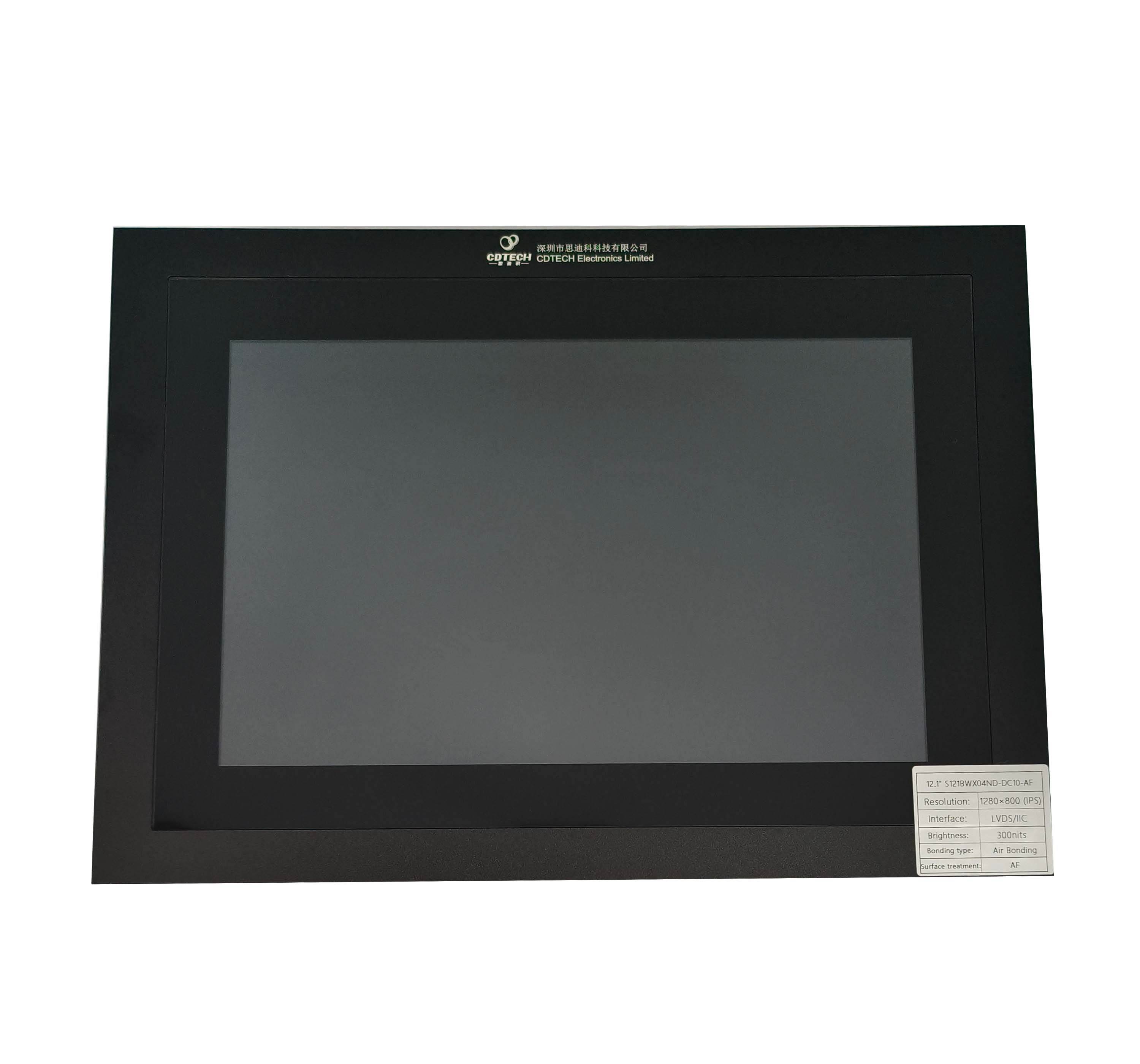
Signal translation: The adapter takes 18-bit or 24-bit RGB input and converts it to 2-lane or 4-lane LVDS. Timing parameters including HFP, HBP, VFP, and VBP must be matched to the new LCD.
Power requirements: Adapters often need a separate backlight power supply. CDTech modules integrate high-efficiency LED drivers to simplify the power chain.
Interface compatibility: Below is a reference matrix for common conversions used in industrial legacy retrofits.
| Legacy Output | Modern Input | Adapter Type | Typical Application |
|---|
| 18-bit RGB | 2-lane LVDS | Simple bridge | Older HMI terminals |
| 24-bit RGB | 4-lane LVDS | Standard bridge | Industrial PLC (10.1″–12.1″) |
| MCU 8080 | DSPI / MIPI | Microcontroller bridge | Portable medical meters |
| VGA | LVDS | Chipset-based converter | Retrofit PC-based systems |
How Do You Select the Correct Bridge Board for an LCD Replacement?
Identify the old LCD’s signal type (RGB or MCU) and logic voltage (3.3V or 5V), then match the bridge board’s output to the new TFT LCD’s interface and lane count.
Input matching: Check the PLC mainboard documentation for the signal standard and voltage level. Most legacy industrial displays use 24-bit RGB at 3.3V logic.
Output matching: Confirm the new TFT LCD uses LVDS (standard for sizes 7″–15″) and verify the number of LVDS lanes (typically 1 or 2 pairs for resolutions up to 1280×800).
Driving capability: The bridge board must supply adequate backlight current. CDTech modules incorporate high-efficiency LED drivers rated for long service life in industrial environments.
Can I Use a Standard Commercial LCD, or Do I Need an Industrial Panel?
PLC environments demand wide temperature tolerance (-20°C to +70°C) and sunlight readability. Commercial displays rated 0°C to +50°C will fail in these conditions.
Environmental requirements: CDTech industrial TFT LCDs are designed for -20°C to +70°C operation, with select automotive models supporting -30°C to +85°C for extreme applications.
Sunlight readability: Legacy displays often had low brightness. CDTech offers high-brightness modules up to 1000 nits with IPS full-view panels and OCA optical bonding to eliminate the air gap and reduce reflections.
Touch compatibility: Old resistive touch panels can be replaced with modern PCAP multi-touch or kept as resistive. CDTech provides both options with AG (anti-glare) and AF (anti-fingerprint) coating.
What is the Step-by-Step Process to Retrofit a Legacy PLC with a New TFT?
Document the old display’s connectors and pinout, select a validated adapter and LCD pair, then mechanically integrate and test before final assembly.
Check: Industrial LCD
Disconnect and document: Photograph the old LCD connectors, note pin assignments, resolution (e.g., 800×480), and mechanical dimensions. This data drives the adapter selection.
Select adapter and LCD module: Choose a pre-validated pair. For example, CDTech’s S101HWX53EP-FC47-AG (10.1″, 1280×800, 850 nits, LVDS with integrated CTP and OCA bonding) paired with a standard LVDS-to-RGB bridge board offers a turn-key solution.
Mount and test: Fit the new LCD into the existing bezel. CDTech can supply custom tab bonding for secure mounting. Verify all signals with a logic analyzer before finalizing the assembly.
How Does CDTech Ensure Zero-Defect Quality in Legacy Replacement Modules?
CDTech produces every module in a 3,500′ thousand-level dust-free workshop with full electrical aging tests and holds four ISO certifications to guarantee reliability.
Factory capability: The 10,000′ facility includes a dedicated dust-free workshop for laminating and soldering, preventing contamination and ensuring consistent build quality.
Certifications: CDTech is certified to ISO9001 (quality), ISO14001 (environmental), ISO13485 (medical devices), and IATF16949 (automotive). These standards apply directly to legacy replacement modules.
Testing: Every module undergoes a 48-hour aging test and full electrical verification including backlight current, interface timing, and image quality before shipment.
CDTech Expert View: “We regularly see clients trying to solder their own adapters or use consumer-grade LCDs. The failure rate is high because they miss the temperature characteristics or backlight timing. Our custom solution integrates the bridge board directly onto the LCD flex or rigid PCB, pre-tested at -30°C and +85°C. This ‘plug-and-play’ assembly guarantees the machine will run for another decade without blue screen failures. Additionally, we offer OCA optical bonding in our own class-1000 cleanroom, eliminating the condensation problems common in old displays.”
Do I Need to Redesign the Touch Interface? (How OCA Bonding Helps)
OCA optical bonding laminates the touch sensor directly to the LCD glass, eliminating the air gap found in old resistive panels and improving durability, readability, and moisture resistance.
Air gap vs. OCA: Old resistive touch panels with an air gap are prone to dust ingress and condensation. OCA bonding eliminates these failure points and reduces surface reflections.
Touch controller compatibility: The bridge board typically passes through touch commands via I2C or USB. CDTech can pre-configure the touch driver to match the legacy system, avoiding software changes.
Durability: OCA bonding improves shock and vibration resistance, which is critical for industrial and automotive applications where equipment is subject to movement and impact.
What are the Long-Term Benefits of Investing in a Custom Legacy Display Solution?
Upgrading to a custom industrial LCD with a bridge board extends machine life, provides cost predictability, and improves operator experience without a full HMI redesign.
Extended machine life: Modern LED-backlit displays offer 50,000-hour lifetimes compared to aging CCFL backlights. This avoids the need for a complete HMI software overhaul.
Cost predictability: CDTech offers guaranteed supply agreements for 3–5 years, protecting against future obsolescence and price volatility of discontinued components.
Improved performance: Higher resolution (e.g., 1280×800), wider viewing angles with IPS technology, and higher brightness (850–1000 nits) make legacy equipment easier and safer for current operators to use.
Frequently Asked Questions
Can I use a standard HDMI monitor adapter to replace a PLC LCD?
No. PLCs output parallel digital signals (RGB or MCU), not HDMI. You need a dedicated bridge board that converts these legacy interfaces to LVDS or MIPI.
How long does a custom bridge board and LCD module take to develop?
Typically 4 to 6 weeks. CDTech can modify an existing board design for faster turnaround. Urgent sample requests can ship in as little as 2 weeks.
Is CDTech qualified for medical device legacy support?
Yes. CDTech holds ISO13485 certification, and all modules are built in a dust-free workshop, making them suitable for Class II medical equipment requiring reliable display replacement.
What if my old PLC uses a non-standard voltage such as 12V input for the screen?
CDTech can adapt the power supply section of the bridge board. A wide-input DC-DC converter (6V to 36V) is often provided for rugged industrial environments.
Do you offer turn-key assembly with adapter, LCD, and touch?
Yes. CDTech ships a single module with the bridge board already attached and tested, branded as a “Legacy Retrofit Kit,” for plug-and-play installation.
Conclusion
Replacing a failing 20-year-old PLC display does not require a costly HMI software rewrite. By combining a legacy display adapter (bridge board) with a modern industrial-grade TFT LCD from CDTech, you gain higher performance, 50,000-hour LED life, and full environmental robustness including wide temperature tolerance, vibration resistance, and moisture protection.
With 13+ years of custom manufacturing, four ISO certifications (ISO9001, ISO14001, ISO13485, IATF16949), a 10,000′ factory, and in-house OCA optical bonding capability, CDTech is uniquely positioned to deliver a zero-defect legacy replacement module that keeps your production line—and your business—running without interruption.

